System Hardening
Hardening your systems is essential, whether you’re managing a personal device or an entire network. Windows, Linux, and macOS all offer tools to help reduce vulnerabilities. Start by applying security updates and enforcing a strong password policy—complex passwords like #Aa12js9&f2 and proper length are key. Follow the principle of least privilege by only giving users the access they need, and restrict server access by IP range when possible. Install antivirus, antimalware, or endpoint detection and response (EDR) solutions that use signatures, machine learning, and behavior analysis to catch threats. Use encryption to protect data: EFS (Encrypting File System) lets you encrypt individual files, while FDE (Full Disk Encryption) like BitLocker or FileVault encrypts the entire drive—offering layered protection. Secure network traffic with a VPN and ensure websites use HTTPS. Harden all your devices, not just your workstation, and use mobile device management when applicable. Configure firewalls to close unused ports, and scan your network with tools like Nmap. Set up intrusion prevention systems (IPS) to detect and block suspicious activity at the network level. When configuring routers or firewalls, change default credentials and settings immediately. MFA (multi-factor authentication) adds another layer of protection. Consider using a next-generation firewall (NGFW), which inspects traffic more deeply, tracks applications, and provides better context-aware security. These steps may seem small, but together they make a big difference in securing both systems and data.
Cloud Infrastructures
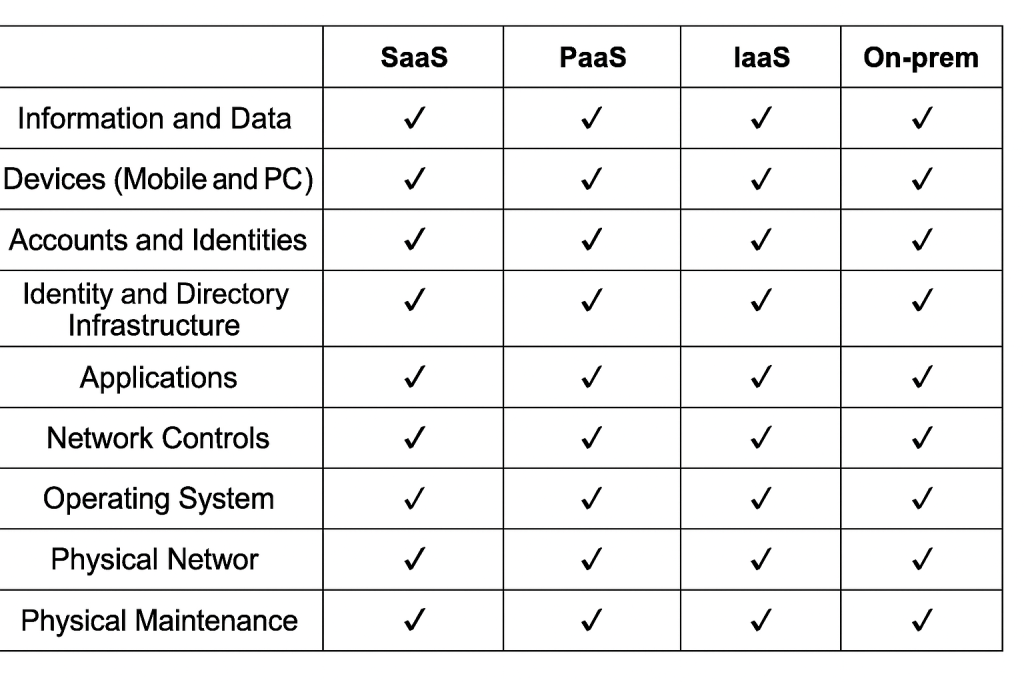
Understanding cloud infrastructure is key to securing modern applications. In Security+ 3.1, I learned that responsibilities are shared between the cloud provider and the customer, and a responsibility matrix—like the one I shared on my blog—makes that clear. Each cloud provider manages its own systems, so authentication between providers must be configured manually. Infrastructure as Code (IaC) lets you define and deploy cloud resources using scripts, offering consistency and automation through tools like Terraform. Serverless computing, or Function as a Service (FaaS), lets you run code in the cloud without managing servers. This contrasts with traditional monolithic applications that run as a single .exe file on a client device, requiring local storage and resources. Microservices, on the other hand, break down applications into smaller services that communicate through APIs and are easier to scale. Whether deploying in-house apps to the cloud or working with third-party services, vendor risk policies help ensure secure integration. As I continue learning, it’s clear that cloud security isn’t just about tools—it’s about understanding where responsibilities lie and how different architectures impact risk and flexibility.
 Think Positive Cyber
Leave a comment